Kitchen
This recipe controls the lights in the Kitchen, in particular the Island Light and the Island Spots.
When somebody approaches the island, they may just want to do something quick like leaving a cup in the sink. They need light, but not too much to be distracting to the rest of the room. On the other hand, maybe they want to cook dinner and so need the island lights to be brighter.
We can distinguish these two situations by how long the person has been at the island. If they haven't left after 15 seconds, then we can assume that they will need more light for what they are doing.
Also, the Kitchen/Dining Room adjoins the Lounge where the projector might be in use. The lights in the kitchen will interfere with the projector viewing so we turn them off more quickly when the kitchen becomes vacant.
Requirements
- Zone Island - an occupancy sensor which tells us when the island is occupied.
- Island Light, Island Spots, Window Light - three lights in the kitchen.
- Cine Logitech - a remote which tells us when the projector is in use.
Scene: Vacant
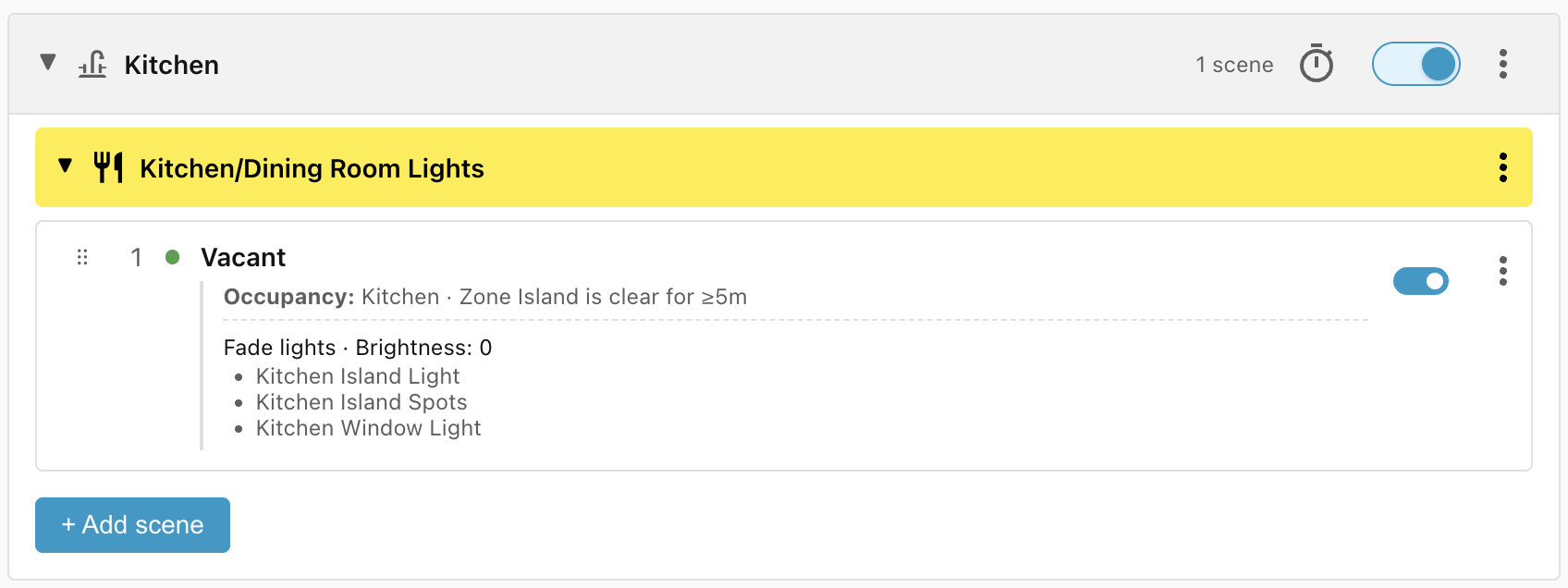
When the Zone Island has been vacant for 5 minutes, turn off all the lights in the kitchen. We use a 5 minutes window to stop the lights turning on and off frequently as people enter and exit the island area:
Scene: Present short time
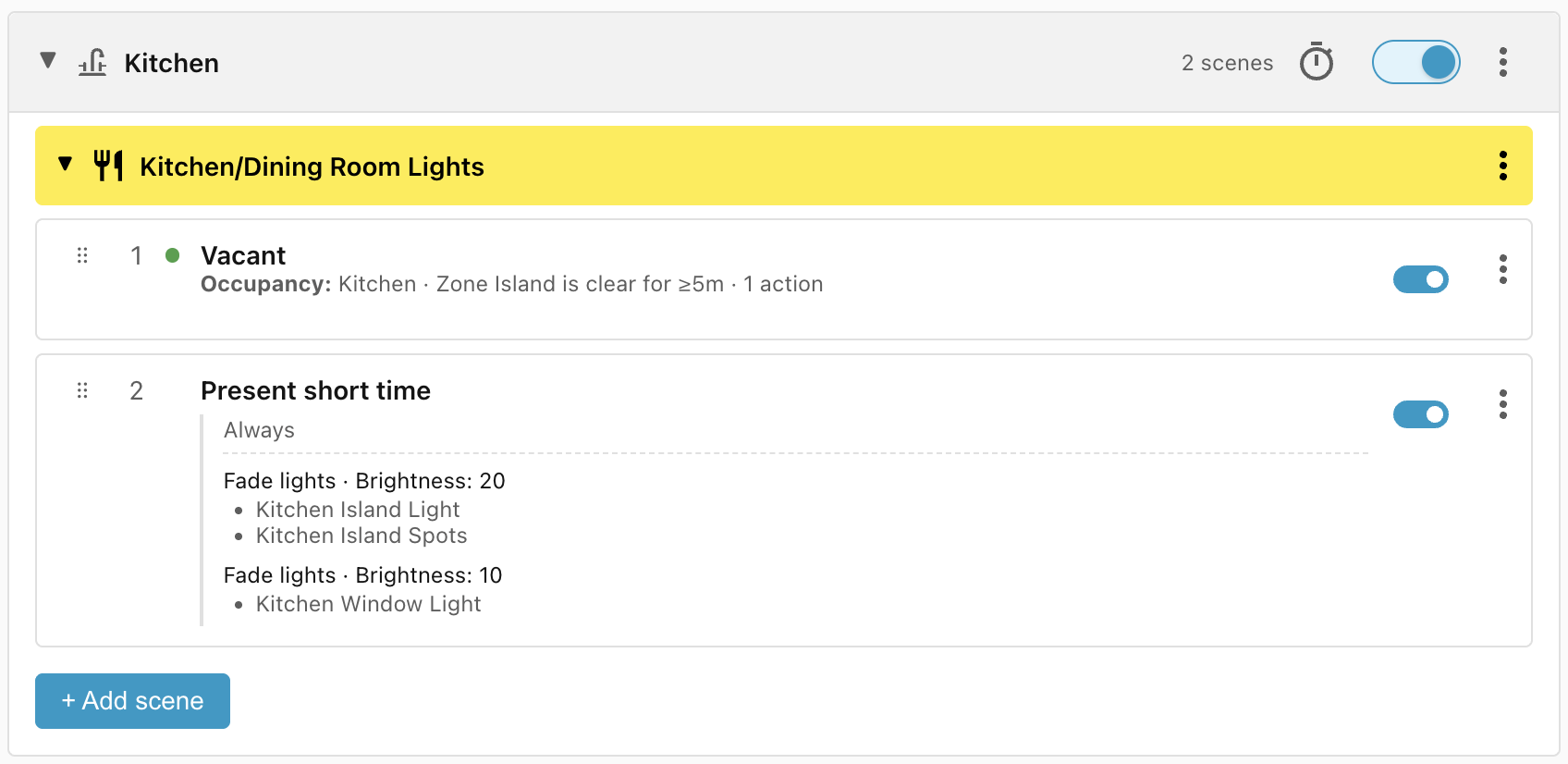
This scene turns on the lights at a low level when somebody first enters the Zone Island. While we don't have an Occupancy condition on this scene, we know that the Zone Island must be occupied (or vacant for less than 5 minutes) because the scene comes after the Vacant scene, which does have an Occupancy condition.
Scene: Block until island occupied
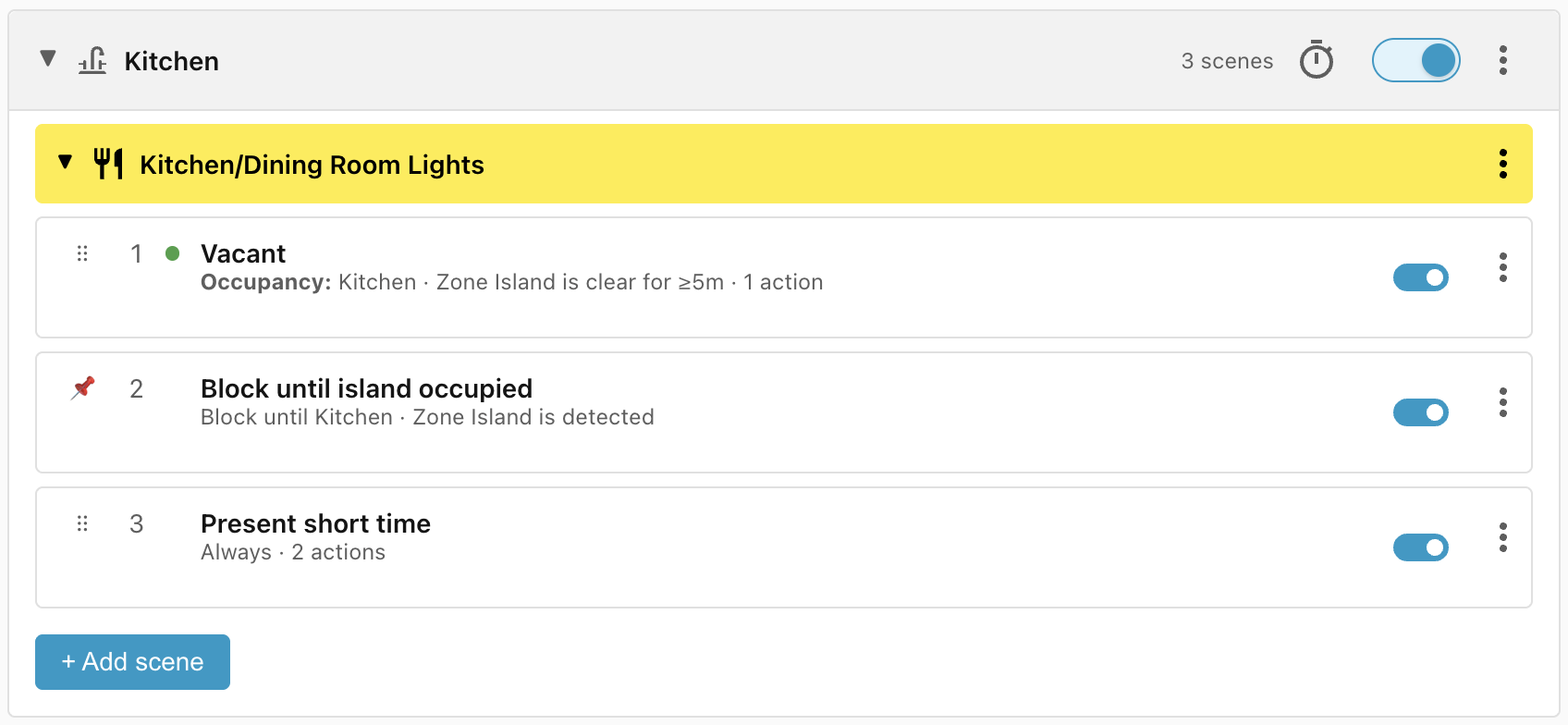
After a Home Assistant reboot, the Vacant scene won't match because the last updated time gets reset, so the Present short time scene will win, turning on the lights for 5 minutes. For completeness, we can prevent that by adding a blocking condition:
Scene: Present long time
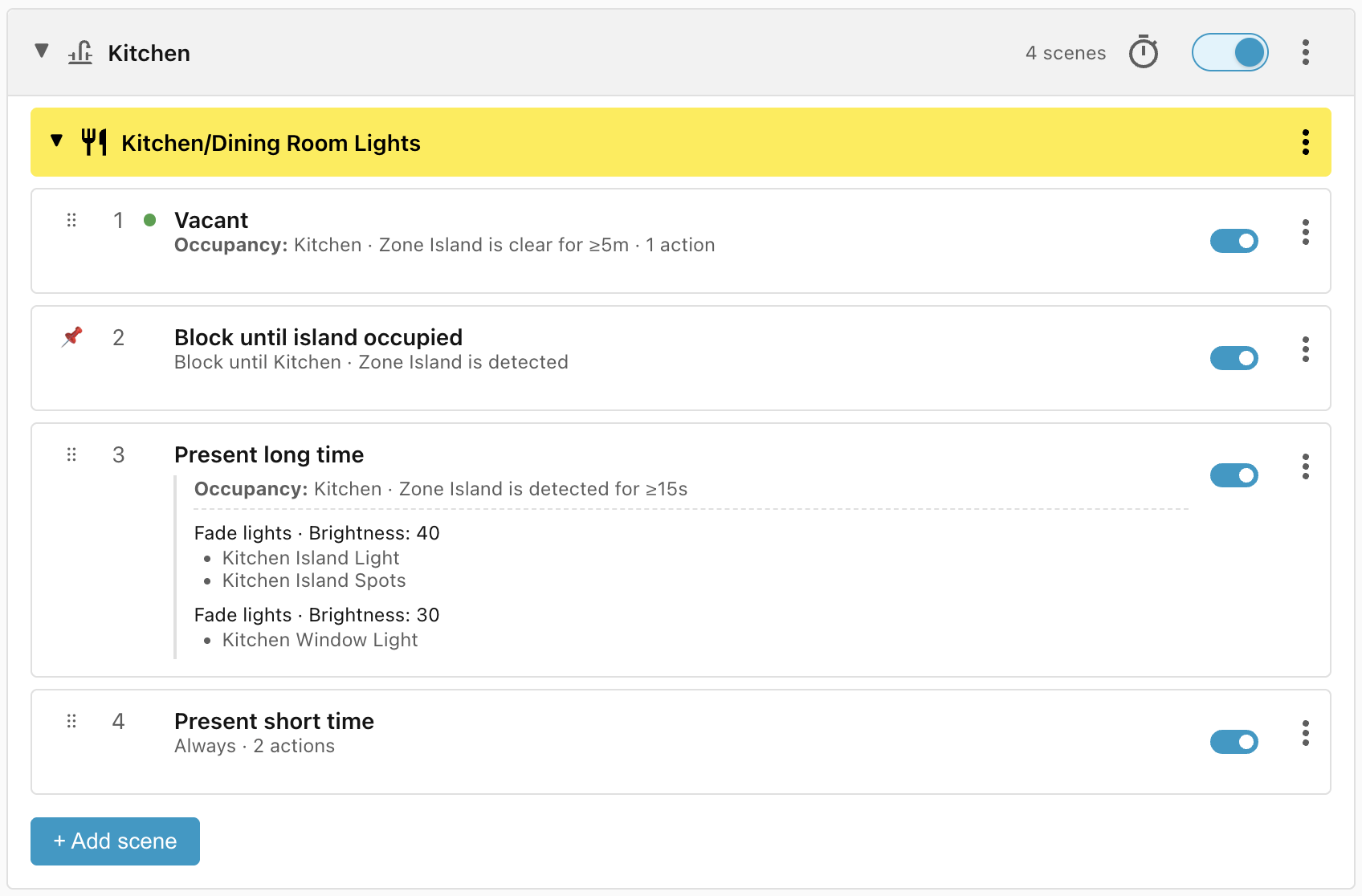
Once the person has remained in the Zone Island for at least 15 seconds, this scene increases the brightness of the island lights:
Scene: Block until island recently vacated
As this stands, there is an issue. Every time the person steps out of the Zone Island, the Present long time scene stops matching and the Present short time scene matches instead, which causes the lights to dim immediately, and then it takes another 15 seconds after the person returns for the lights to brighten again.
We can solve this by adding in a buffer to block Present short time from matching for two minutes, as long as the island light is on.
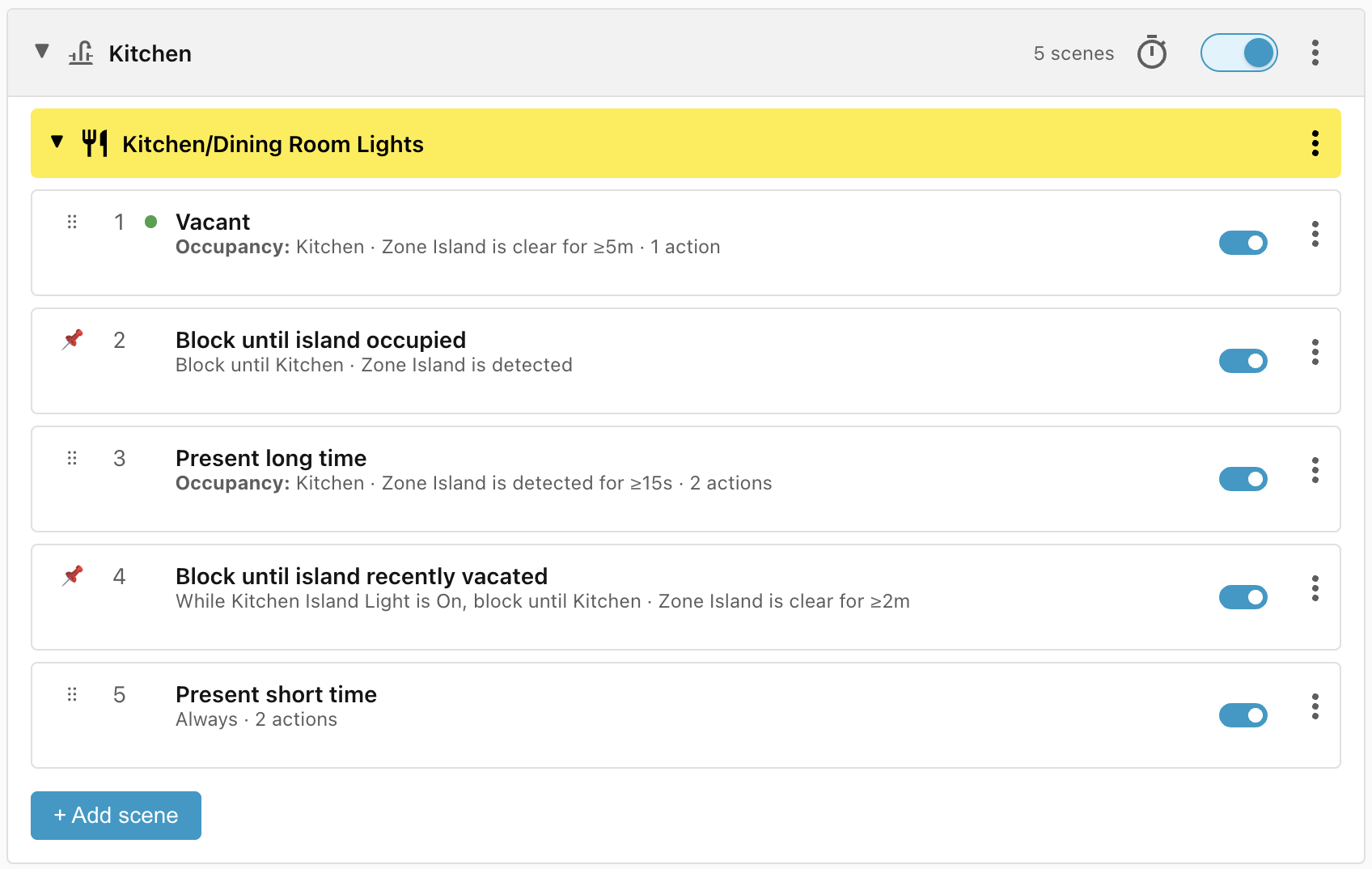
The first time somebody approaches the island, the Island Light will be off and so Present short time will match immediately. If the person leaves and returns within 2 minutes, the Block condition will prevent Present short time from matching and will keep the lights on as per the Present long time scene.
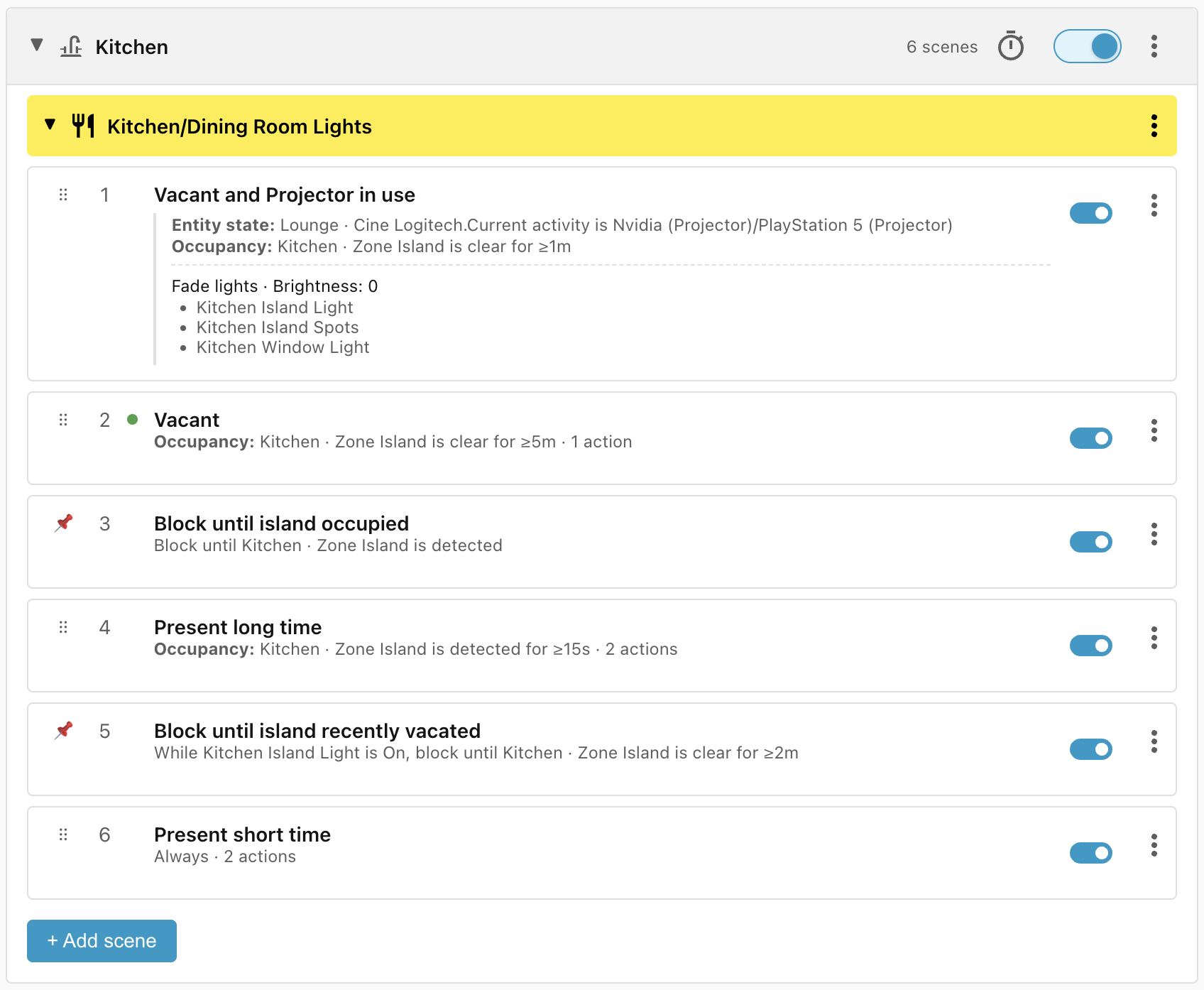
Scene: Vacant and Projector in use
Finally, when the projector is in use, the lights should turn off more quickly so as to disturb viewing as little as possible. The Vacant and Projector in use scene has the highest priority so it will override the other conditions when it matches:
Lifecycle
| Trigger | Matched Scene | Action |
|---|---|---|
| Person enters Zone Island | Present short time | Lights turn on at low level |
| Person remains in Zone Island for 15 seconds | Present long time | Lights brighten |
| Person exits Zone Island | Block until island recently vacated | None |
| Person returns to Zone Island within 2 minutes | Present long time | None — already applied |
| Person exits Zone Island for 2 minutes | Present short time | Lights dim |
| Person exits Zone Island for 5 minutes | Vacant | Lights turn off |
| Projector on and person exits Zone Island for 1 minute | Vacant and Projector in use | Lights turn off |