Apply on every match
When any condition specified in a scene group changes from true to false or vice versa, it triggers a reassessment of all scenes in the scene group. The winning scene might be the same scene that won the previous time. In that case, we don't usually want to reapply its actions as nothing will have changed in the interim.
In fact, often we want to be able to make manual changes and not have Ambience override them every time a trigger fires. For instance, perhaps I want to close a blind manually, and I don't want Ambience to open it again two seconds later.
In certain circumstances, however, you do want a scene's actions reapplied on every match — typically when something outside Ambience can change a device's state without changing which scene wins, so the winning scene needs to re-assert itself. Turning on a scene's Apply on every match toggle does exactly that: its actions are reapplied every time the scene wins a reassessment, not only when it first becomes the winner.
For a full worked example — keeping a water pump's Power Shower mode on despite its own 5-minute auto-off timer — see the Power Shower recipe.
Re-run all scenes after inactivity
Sometimes devices get out of sync with the currently applied scene, and can remain so until a new scene wins. Perhaps a turn-off light command was dropped because of a network outage, or somebody opened a blind manually and forgot to close it.
The Re-run all scenes is a way to periodically trigger the re-evaluation of all scene groups after a period of inactivity, to get things back into sync. This feature can be enabled and the timeout configured in the Settings → Advanced tab.
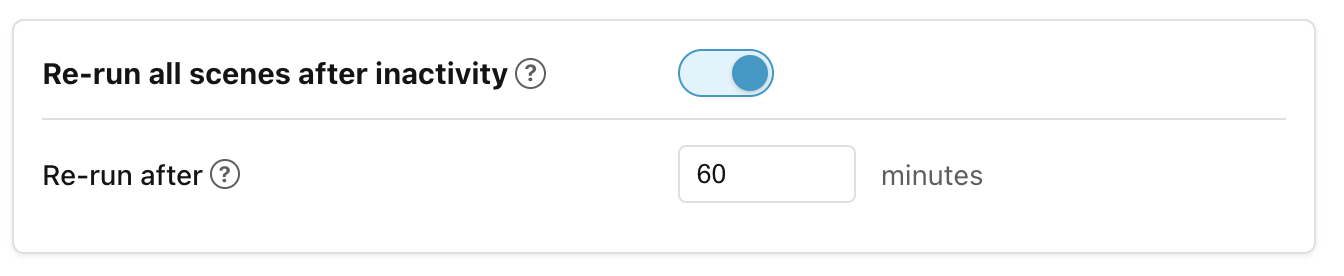
When the feature is enabled and the timeout elapses for a scene group, Ambience re-evaluates and re-dispatches that group's winning scene (even if the winner has not changed) to reapply any commands that may have been dropped. The idle clock resets each time a group's commands are actually dispatched. Disable or paused scopes are skipped.
Next: How actions run.