Apply on every match
When any condition specified in a scene group changes from true to false or vice versa, it triggers a reassessment of all scenes in the scene group. The winning scene might be the same scene that won the previous time. In that case, we don't usually want to reapply its actions as nothing will have changed in the interim.
In fact, often we want to be able to make manual changes and not have Ambience override them every time a trigger fires. For instance, perhaps I want to close a blind manually, and I don't want Ambience to open it again two seconds later.
In certain circumstances, however, we do want the actions to be reapplied on every match. For instance, imagine a Power Shower function which we switch on when somebody is in the shower and the water is flowing. We can create a scene such as this:

But the Power Shower has an internal timer which switches it off automatically every 5 minutes. That automatic off-switch is outside our control. To Ambience it looks like our "Power Shower on" scene is still winning, but in reality the power shower has been turned off.
We can solve this in two steps:
- We want to include state of the Power Shower switch as a trigger, so we add it as a clause which matches on both On and Off into the entity state condition.
- Turn the scene's Apply on every match toggle to On.
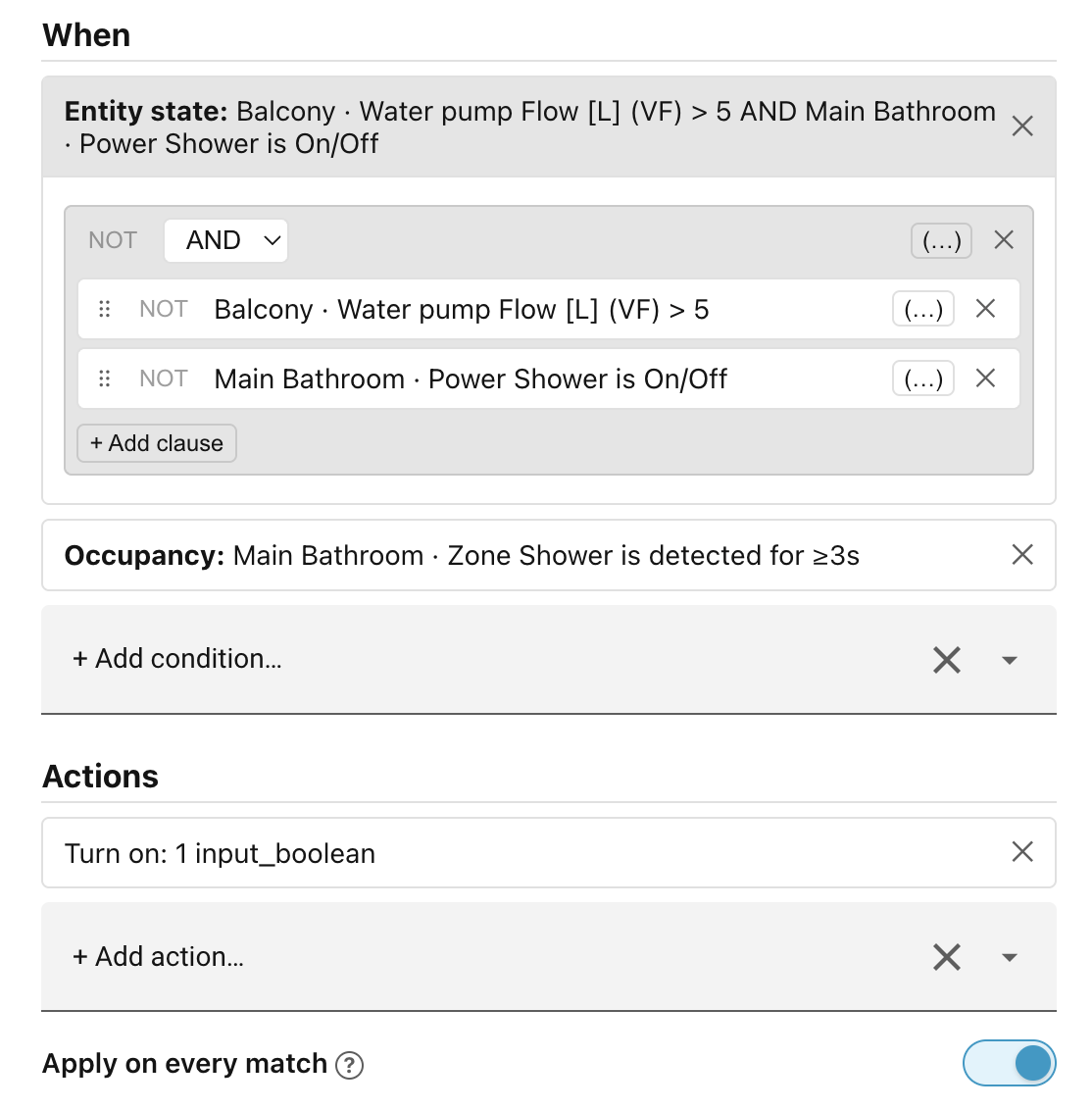
This way, the scene will match when somebody is in the shower and the water is flowing, and will turn the Power Shower back on whenever it turns itself off. The built-in Turn on action has a safeguard in place so that it will not try to turn the Power Shower on if it is already on.
Re-run all scenes after inactivity
Sometimes devices get out of sync with the currently applied scene, and can remain so until a new scene wins. Perhaps a turn-off light command was dropped because of a network outage, or somebody opened a blind manually and forgot to close it.
The Re-run all scenes is a way to periodically trigger the re-evaluation of all scene groups after a period of inactivity, to get things back into sync. This feature can be enabled and the timeout configured in the Settings → Advanced tab.
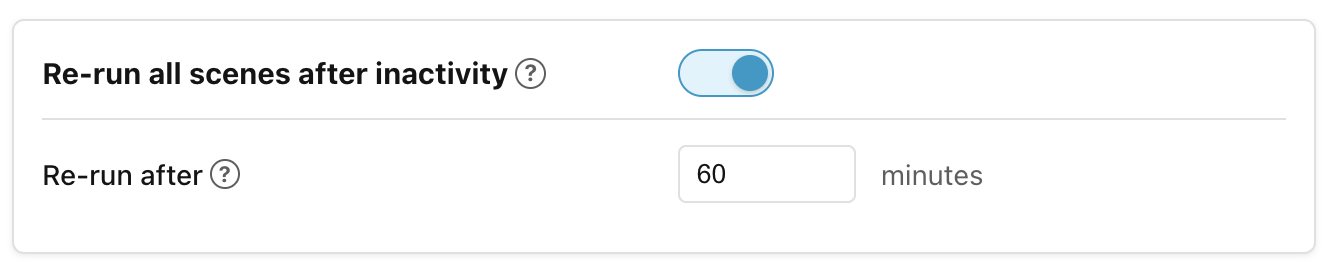
When the feature is enabled and the timeout elapses for a scene group, Ambience re-evaluates and re-dispatches that group's winning scene (even if the winner has not changed) to reapply any commands that may have been dropped. The idle clock resets each time a group's commands are actually dispatched. Disable or paused scopes are skipped.
Next: How actions run.