Entity state
Worked example
For a worked example of the Entity-state condition, see Step 5 of Getting started.
Checks the state (or an attribute) of an entity, compares it to a value that you
specify, and returns true or false. Multiple clauses can be combined
with AND, OR, and NOT operators, and can be grouped using
parentheses.
Each clause picks an entity, then chooses where to look — either the entity's own state (the default) or one of its attributes — and then sets a comparison and a value.
Text comparisons
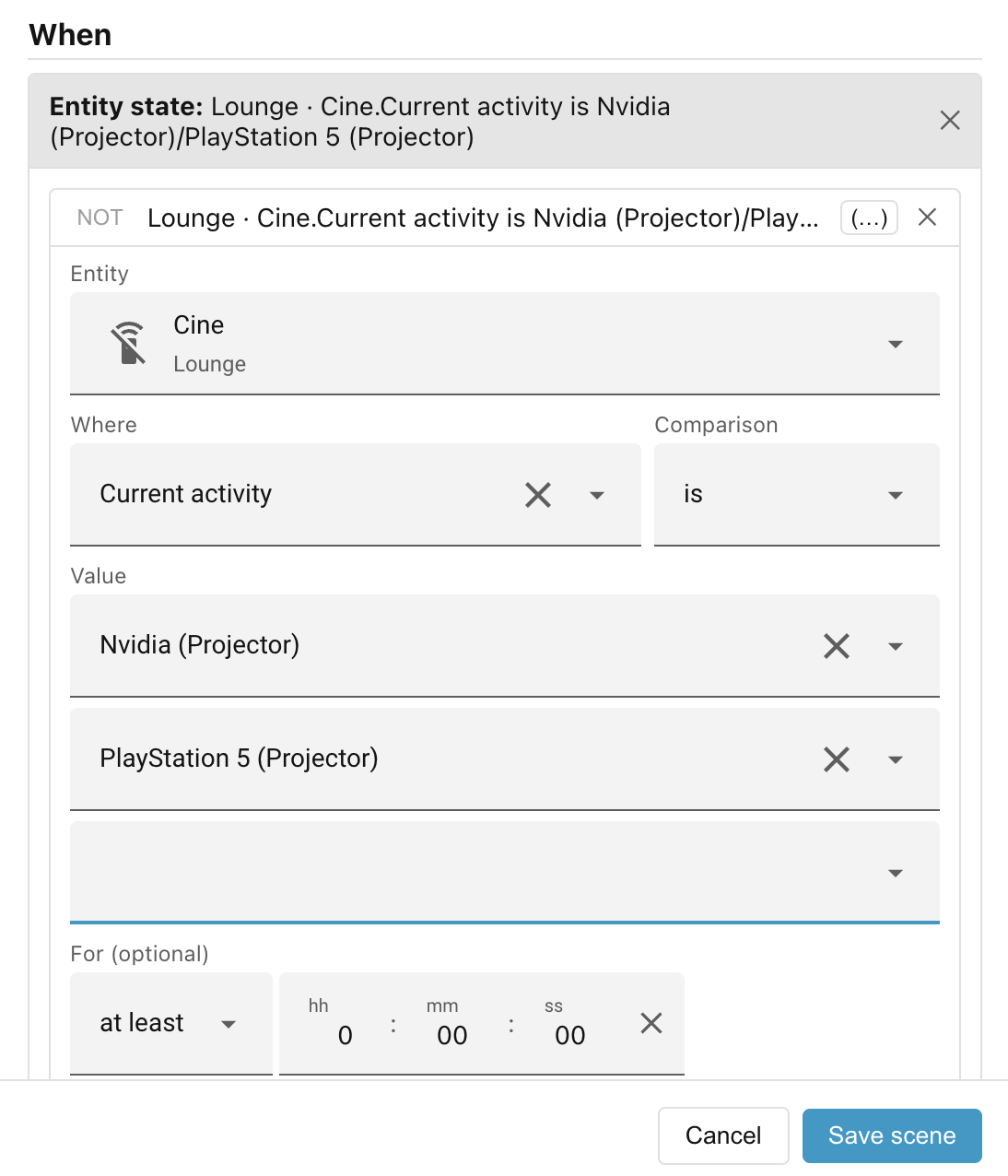
For text comparisons, you can list multiple values:
| Operator | Meaning |
|---|---|
is |
the state or attribute matches any of the values you list |
is not |
the state or attribute matches none of the values you list |
Numeric comparisons
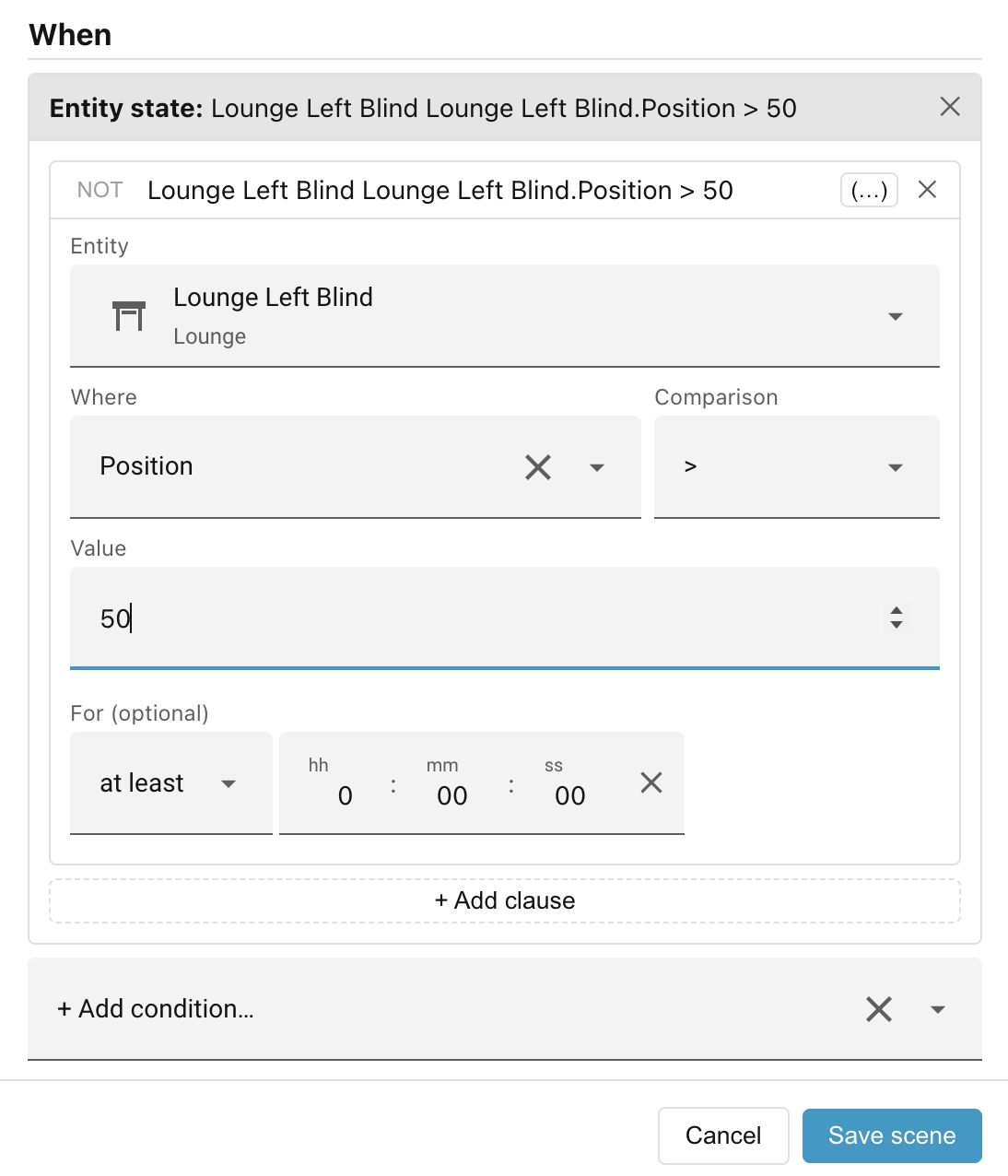
For numeric states and numeric attributes, the UI switches automatically to numeric operators:
| Operator | Meaning |
|---|---|
> |
greater than |
≥ |
at least (greater than or equal) |
< |
less than |
≤ |
at most (less than or equal) |
Boolean operators
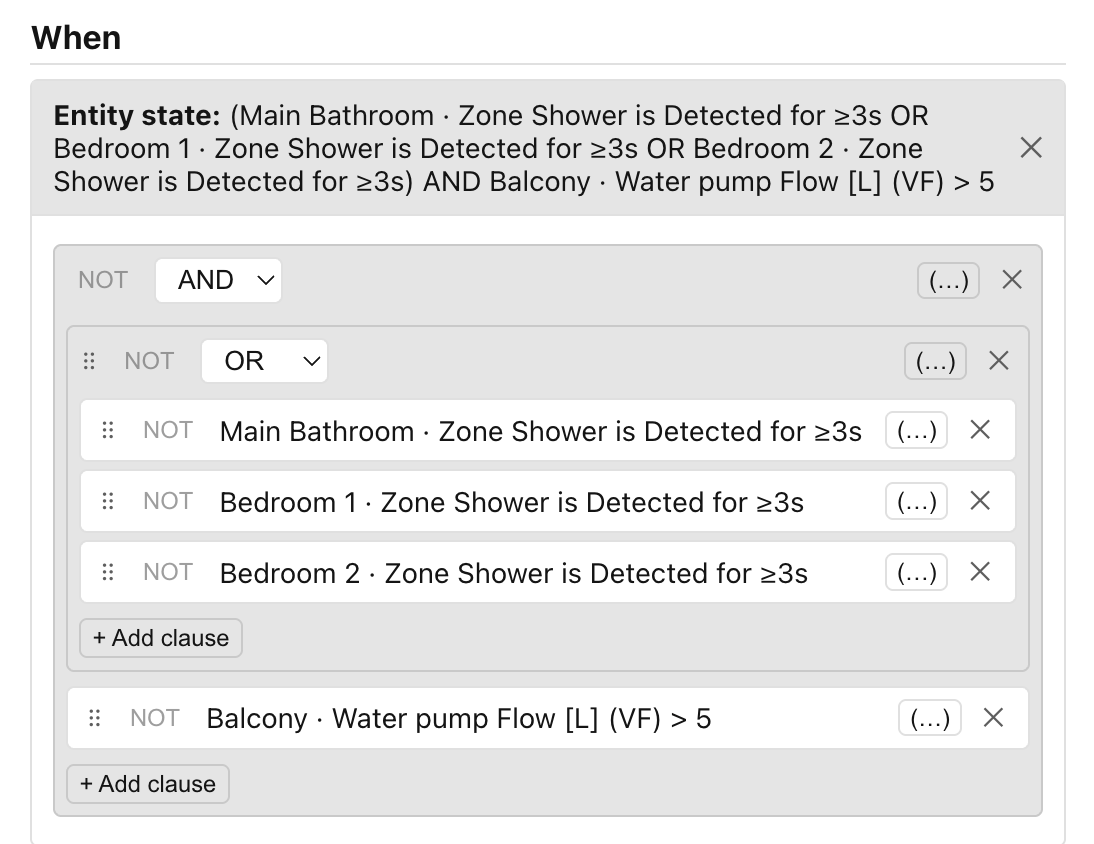
When a scene needs more than one clause, you combine them using AND and OR groups. Use the "(…)" (wrap-in-group) button on any clause to place it inside a new group, then add sibling clauses to the same group. You can nest groups to arbitrary depth. Each clause and each group can also be negated with the NOT toggle on its header — turning it on inverts the result of that clause or group.
In the following example, we want to turn on the Power Shower when the water flow is over 5L/min and somebody has been present in at least one of the showers for at least 3 seconds.
Drag handles
The ⠿ drag handles can be used to drag clauses from one group to another.
Simplified descriptions
As you build the expression, Ambience shows it back as a plain-language summary
that tidies the logic to read naturally rather than mirroring the raw tree. A
NOT on a simple is clause is folded inline — "Lamp is on" under a NOT
becomes "Lamp is NOT on", instead of "NOT Lamp is on".
The following is a complicated example where we want a blocking scene to prevent us turning off the power shower until either the water flow is under 5L/min or all of the showers have been vacant for at least 5 seconds.
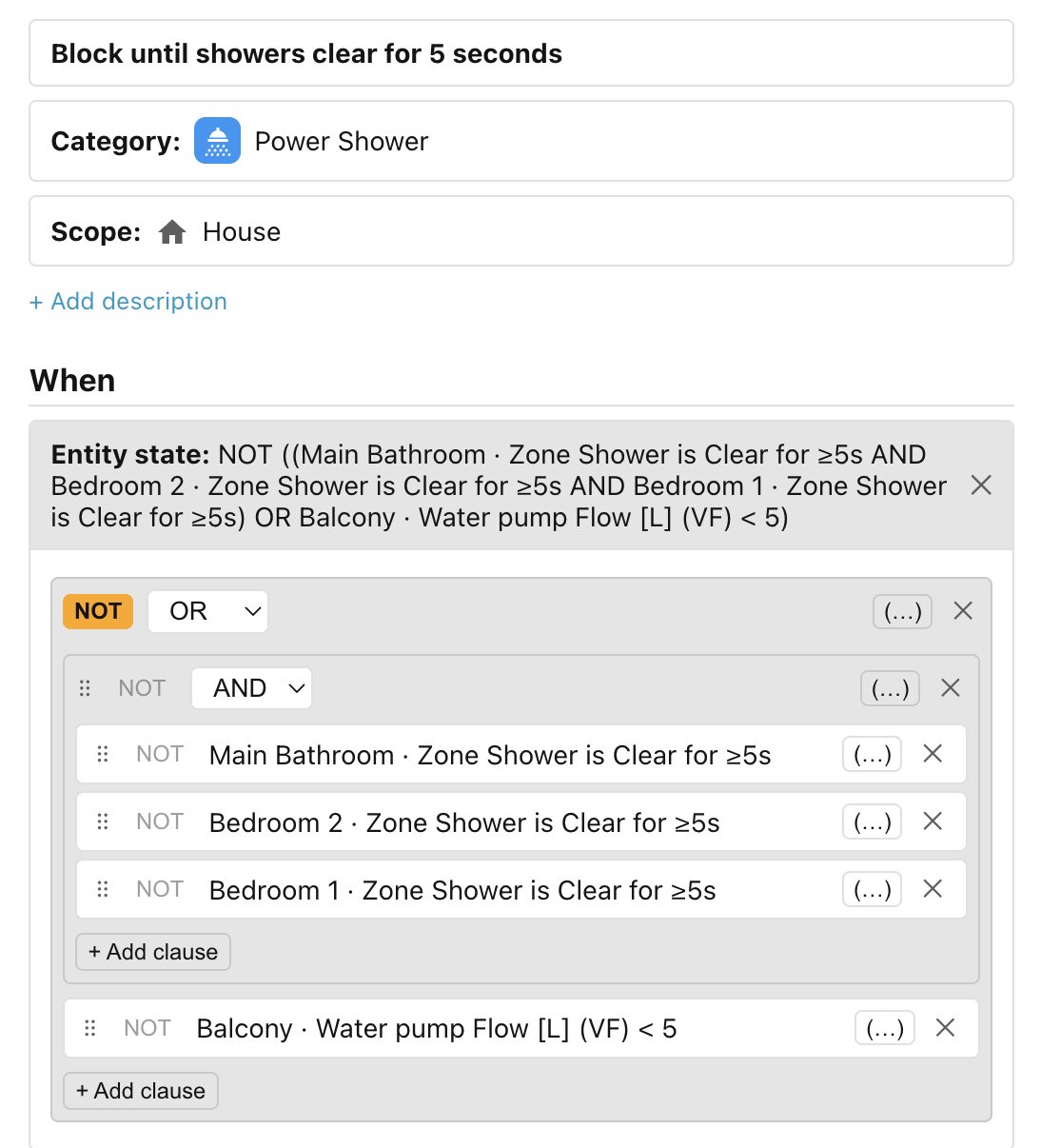
The "raw" description of the condition reads as follows:
NOT ((Main Bathroom · Zone Shower is Clear for ≥5s AND Bedroom 2 · Zone Shower is Clear for ≥5s AND Bedroom 1 · Zone Shower is Clear for ≥5s) OR Balcony · Water pump Flow [L] (VF) < 5).
The simplified version is easier to read and understand:
Block until (Main Bathroom · Zone Shower is Clear for ≥5s AND Bedroom 2 · Zone Shower is Clear for ≥5s AND Bedroom 1 · Zone Shower is Clear for ≥5s) OR Balcony · Water pump Flow [L] (VF) < 5.
For duration
You can also set a For duration on the condition, so it only passes once its test has stayed continuously true for more than or less than the specified duration. See The "for" duration for the details, including how the clock behaves when a clause lists several states.
Next: Lux.