Unavailable
Checks whether any of the entities you list is unavailable, unknown, or missing.
Most conditions treat an unavailable entity as unobservable and quietly decline to match on it. Any scene in which an entity is unavailable will simply not match. This can result in the wrong scenes being applied.
If it is important to block matching if one or more entities are unavailable, then use the Unavailable condition to block further processing.
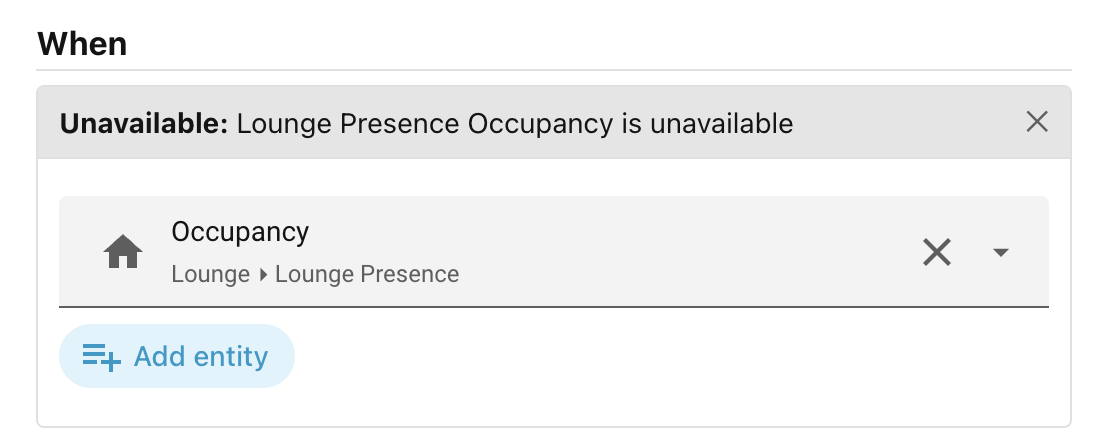
When you add an Unavailable condition to a scene, the editor shows a single control:
- Entity — a picker listing entities of any domain. Pick one or more.
It matches as soon as any one of the entities you picked is unavailable, unknown, or absent (deleted or not yet loaded). You must pick at least one entity.
Using it as a fallback guard
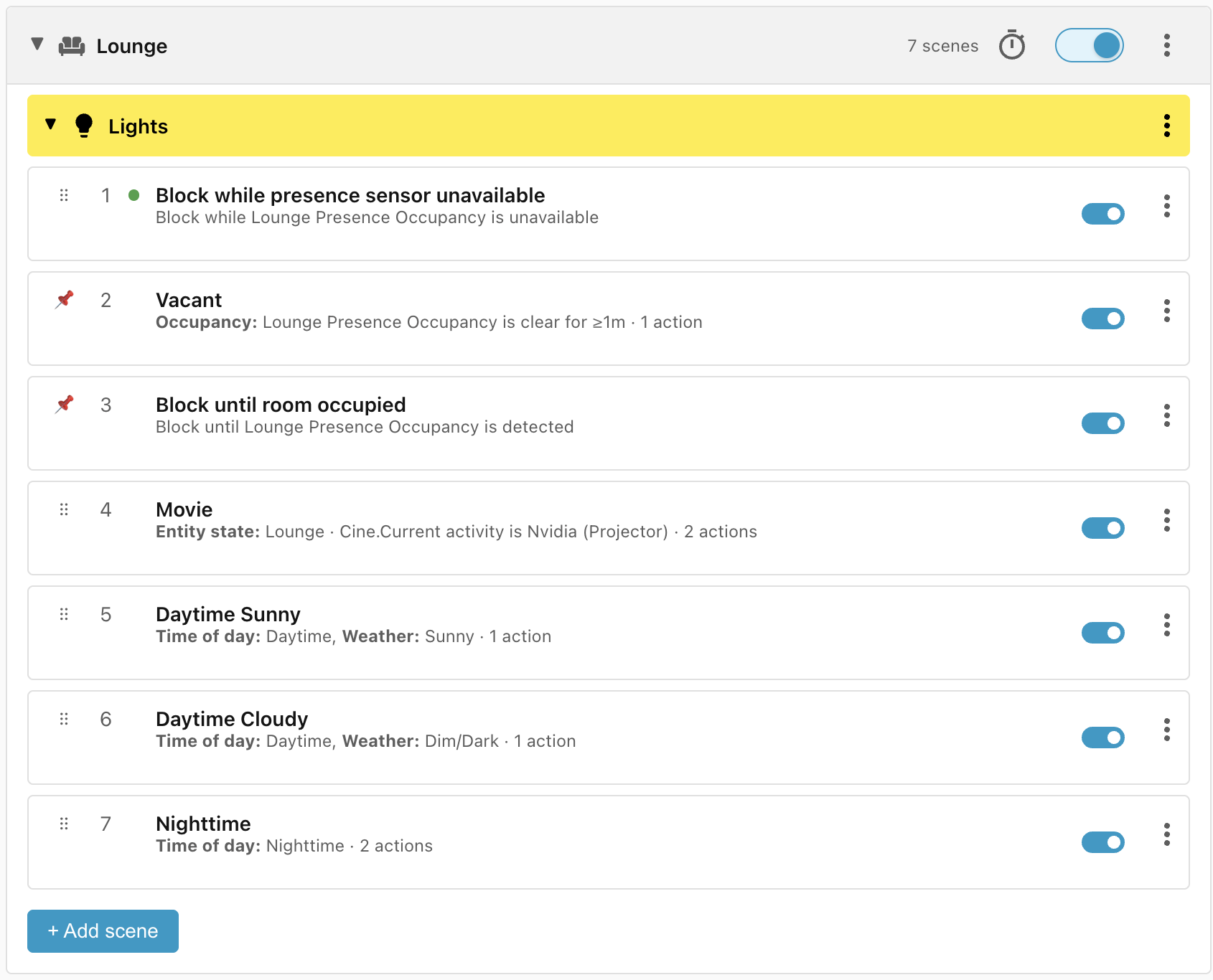
The Unavailable condition is the condition with the highest precedence as it would normally be used to block the evaluation of all scenes, but it can be manually dragged to a new position if required.
When entities go missing
When an entity changes state to Unavailable or Unknown or goes missing, it still triggers a re-evaluation of the related scenes, but the winning scene is not acted upon unless it matched an Unavailable clause.
Next: Weather.