Exposed actions
Rather than configuring a service from scratch every time you use it in a scene, Ambience uses a layer of reusable templates called exposed actions. You set these up once, in Settings → Actions, and they then appear in the action picker whenever you edit a scene, and in the order that you choose.
Each exposed action wraps a single Home Assistant service and captures two kinds of per-field setting:
- Which fields are visible in the scene editor — these are the fields you expect to vary from scene to scene. When you add the action to a scene, you fill these fields in for that scene.
- Defaults — values that are always sent to the service, regardless of what any scene says. A default can accompany a visible field (pre-filling it with a sensible starting value) or it can apply to a hidden field (so the service always receives that value but the per-scene editor never shows it).
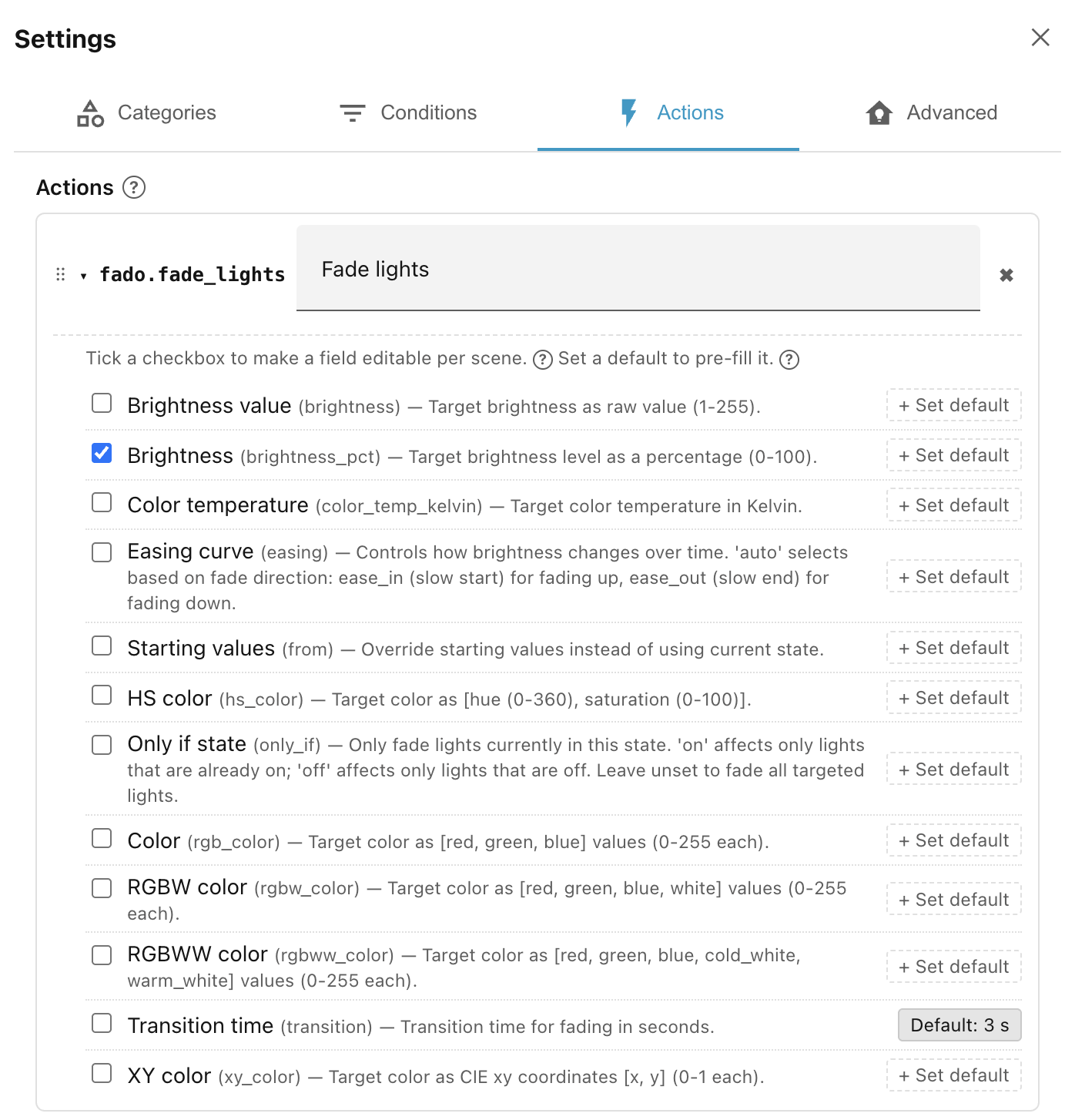
The combination is flexible. For example, a
fado.fade_lights
exposed action might:
- show Brightness as a visible field, so each scene can set its own levels;
- but set Transition time to
3as a default, so every scene using this action gets a three-second fade.
Hidden defaults
A field doesn't need to be visible to set a default. You can set a default but leave the field unchecked. The default parameter will always be passed, but you won't be able to override it in the scene's action list.
See Step 3 of Getting started for a worked example.
Next: Built-in actions.