Sun
The Sun condition checks where the sun is in the sky — its height above the horizon (elevation) and/or the compass direction it is coming from (azimuth). You can use this to trigger a scene when afternoon glare hits a west-facing window, when the sun is high enough to heat a conservatory, or simply when it has risen above the roofline.
The condition has two independent parts: elevation and azimuth. You must set at least one of them.
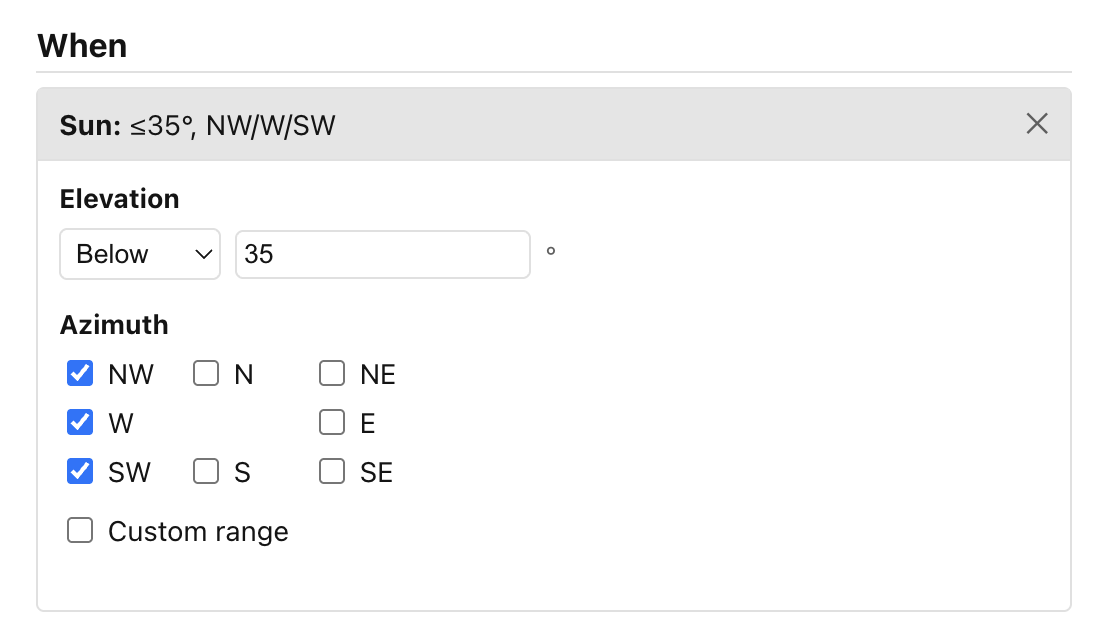
Elevation
Elevation measures how high the sun sits above (or below) the horizon, expressed in degrees. 0° is the horizon, 90° is directly overhead, and negative values mean the sun is below the horizon (before sunrise or after sunset).
Use the Elevation dropdown to choose one of four modes:
| Mode | What it means |
|---|---|
| Any | Elevation is not constrained. |
| Above | The sun must be higher than a given angle — for example, above 20° to confirm it is well clear of the roofline. |
| Below | The sun must be lower than a given angle — for example, below 0° to confirm it has set. |
| Between | The sun must be within a range — for example, between 5° and 20° for a low-light morning window. |
Type the degree value (or values) into the number field that appears next to the dropdown. The valid range is −90 to 90.
Azimuth
Azimuth is the compass bearing of the sun: 0°/360° is north, 90° is east, 180° is south, 270° is west.
The UI shows a 3 × 3 compass grid — north at the top, with NW, N, NE across the first row, W, (centre), E across the second, and SW, S, SE across the third. Tick any sectors you want to include. The sun matches the condition whenever it falls inside any of the ticked sectors.
Each sector covers a 45° arc (N covers 337.5° to 22.5°, NE covers 22.5° to 67.5°, and so on around the compass).
If you need a different slice — for example, the exact angle at which glare falls on a skylight — tick Custom range and enter a from bearing and a to bearing in degrees. A range wraps past north if the "from" value is greater than the "to" value (for example, 350° to 10° covers the narrow arc either side of due north). You can combine compass-sector ticks and a custom range in the same condition; the sun matches if it falls in any of them.
Notes
- The sun's position is read from the
sun.sunentity that Home Assistant maintains automatically. No additional integration is needed. - Ambience re-evaluates the condition roughly every minute as the sun moves. Your scenes and actions only re-run when the condition's result actually changes, not on every check.
- If
sun.sunis unavailable (for example, your latitude or longitude is not configured in Home Assistant), the condition does not match.
Next: Template.