Time of day
Checks whether the current time falls within a specified window, expressed as a named period, a clock range, or a range anchored to sun events such as sunrise or dusk.
When you add a Time of day condition to a scene, you see a dropdown with three kinds of entry:
- Any time — the condition always matches (equivalent to having no condition at all; useful as a placeholder while you build a scene).
- A named period — one of the built-in periods or any custom period you have defined in Settings.
- Custom range — you define the start and end yourself.
Using a named period
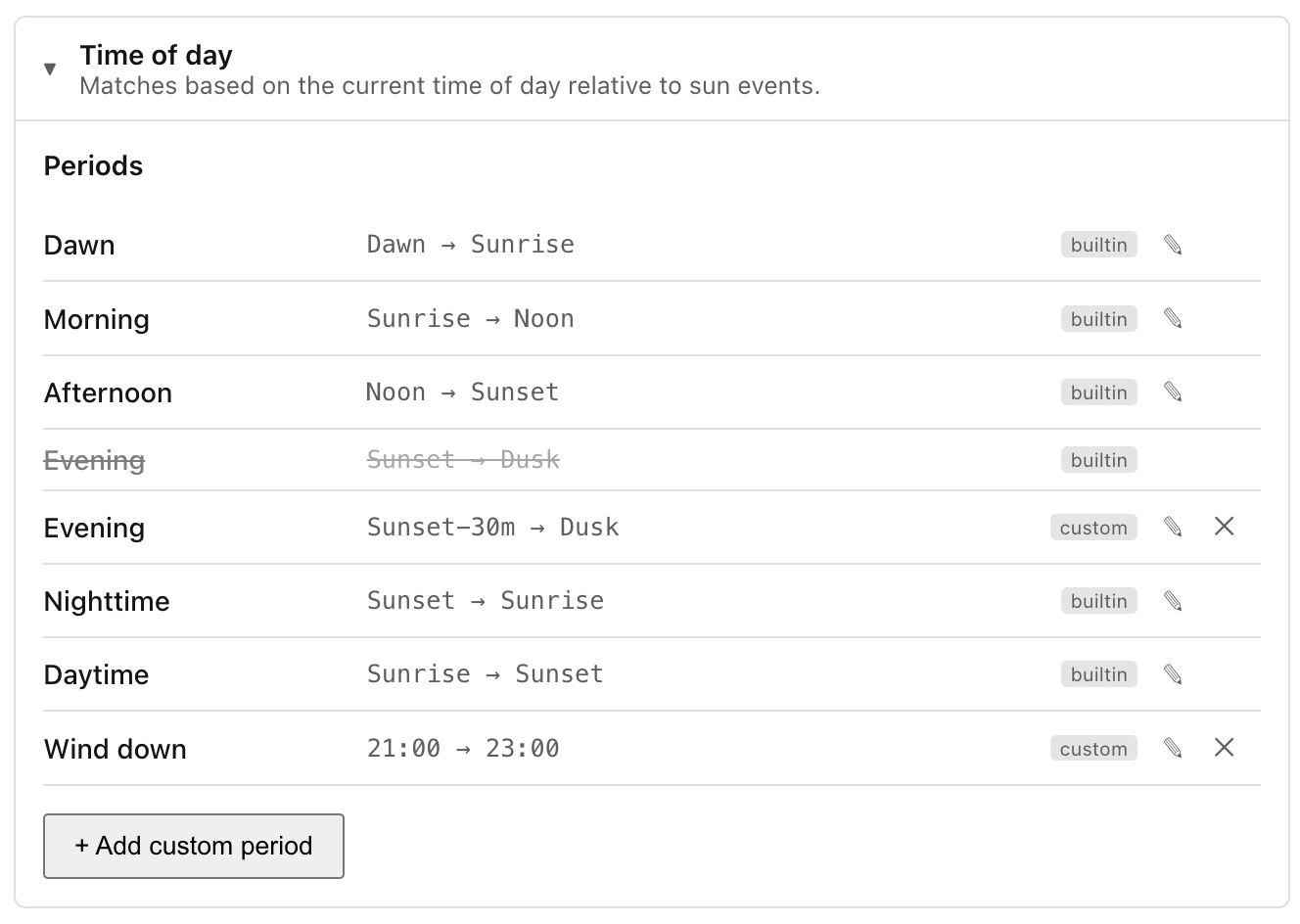
Ambience ships six built-in periods that track the sun automatically, so they adjust throughout the year without any configuration:
| Period | From | To |
|---|---|---|
| Dawn | Dawn | Sunrise |
| Morning | Sunrise | Noon |
| Afternoon | Noon | Sunset |
| Evening | Sunset | Dusk |
| Nighttime | Sunset | Sunrise |
| Daytime | Sunrise | Sunset |
All six are sun-relative, so "Morning" in summer starts earlier than it does in winter, and everything shifts with your latitude automatically. "Nighttime" spans the whole night (sunset to sunrise) and so overlaps the narrower "Evening" and "Dawn" windows; where periods overlap, a scene's summary names the most specific one.
You can also define your own periods — for example a "Wind down" period from 21:00 to 23:00 — via Settings → Conditions. Once saved, custom periods appear in the same dropdown alongside the built-ins.
Using a custom range
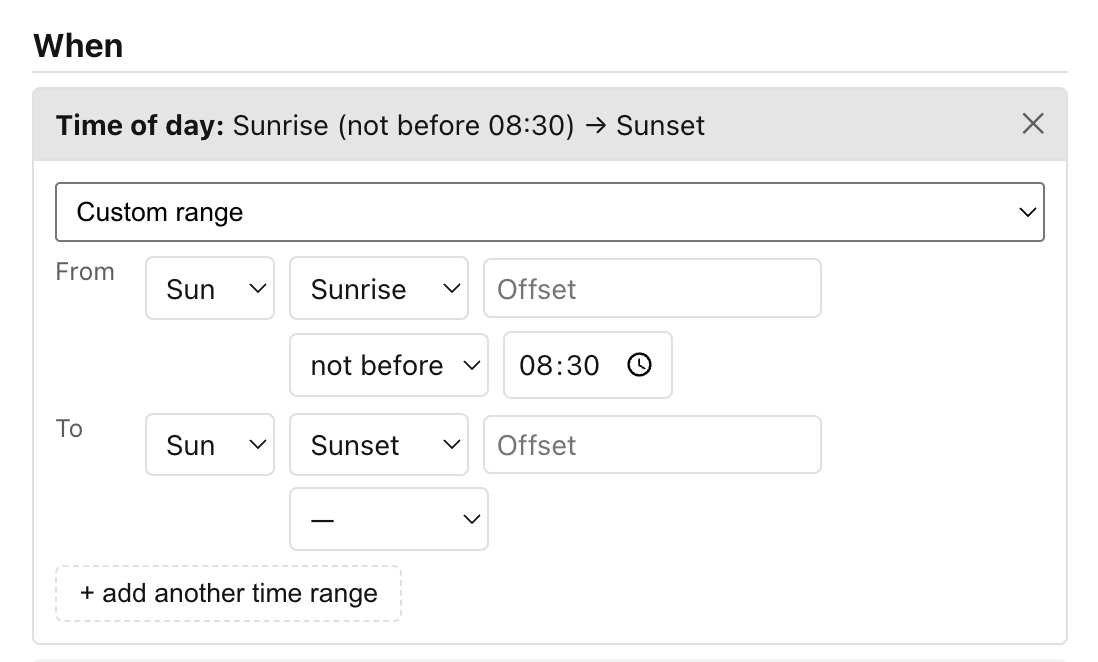
Select Custom range from the dropdown and the editor expands to show a From row and a To row. Each end of the range has two controls:
- A kind dropdown — choose Time for a fixed clock time, or Sun for a sun-relative anchor.
- The value itself:
- Time: a standard time-of-day picker (hh:mm in your local timezone, DST-aware).
- Sun: an anchor dropdown (Dawn, Sunrise, Noon, Sunset, Dusk, or
Midnight) plus an offset field. Enter a positive number to push the
boundary later (e.g.
30= 30 minutes after the anchor) or a negative number to push it earlier (e.g.-30= 30 minutes before). Leave the offset at0for exactly at the anchor. The hint next to the field shows the offset in plain English, such as+30 minor−1 hour. A second row lets you optionally clamp the result to a clock floor or ceiling — see Pinning a sun anchor to a clock time below.
Ranges can wrap midnight. If your "From" time is later in the day than your "To" time (for example, 22:00 to 06:00), the condition matches from 22:00 through to 06:00 the following morning.
Pinning a sun anchor to a clock time
A sun anchor drifts across the year — sunset can be around 16:30 in midwinter and 21:30 at midsummer. The clamp row beneath a Sun endpoint bounds that drift to a fixed clock time. Pick a direction and a time (leave the direction on — for no clamp, the default):
- not before HH:MM — a floor: if the anchor lands earlier than this time, use this time instead. Sunset, not before 18:00 stops an evening scene from starting before 18:00 on short winter days, while still following a later summer sunset.
- not after HH:MM — a ceiling: if the anchor lands later than this time, use this time instead. Sunrise, not after 07:00 makes a morning scene start by 07:00 on dark winter mornings, while still following an earlier summer sunrise.
The clamp time is read in your local timezone and is applied after the offset, so it bounds the already-offset anchor.
Adding multiple time windows
Once a custom range is set, an + add another time range button appears below it. Clicking it adds a second entry to the condition. The condition then matches if the current time falls within any of the listed windows, which lets you express things like "between 07:00–09:00 or 17:00–19:00" in a single condition. Each added entry collapses to a summary chip when you move to another; click a chip to expand and edit it.
Next: Unavailable.