LED and relay
Configure the front LED and the solid-state relay output. Both live under Settings → LED and Relay in the panel.
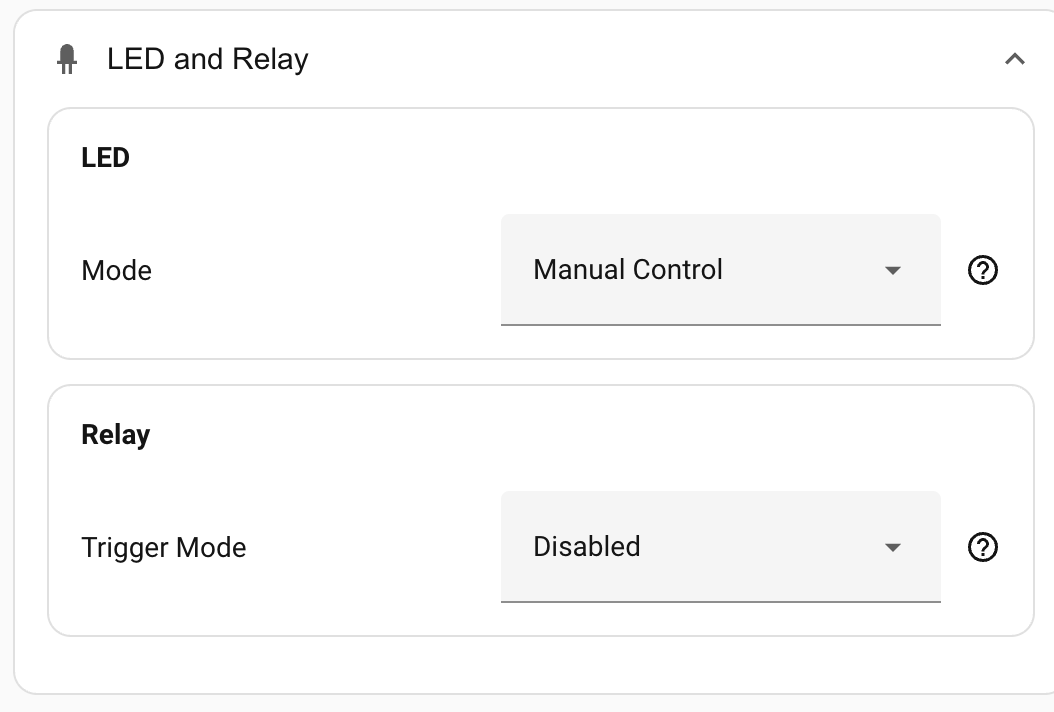
LED
The device has a single addressable RGB LED on the front. The Mode below sets what the device drives the LED to automatically: based on occupancy, CO₂ level, or nothing at all. The LED is also always exposed in Home Assistant as a light entity that you can drive from your own automations, whichever mode is selected.
Mode
| Mode | What the LED shows | Notes |
|---|---|---|
| Manual control | Whatever you set via the light entity. | Default. No automatic colour or brightness; the LED reflects only what your automations or the entity's UI tell it. |
| Occupancy | Solid in the occupancy colour when occupied; off when clear. | Driven by the same combined Occupancy signal the integration exposes. See How detection works → The Occupancy entity. |
| Environmental | Colour reflects CO₂ level (green to yellow to red). | Needs the optional CO₂ chip fitted to read against. |
| Environmental + Occupancy | Combines both: environmental colour scale while the room is occupied, off when clear. | Same CO₂ requirement. |
The firmware itself supports CO₂ on every variant, so there's no separate "CO₂-capable" build to flash. The Environmental modes still need the optional CO₂ chip fitted to the device to have anything to read against.
In any of the automatic modes you can still call the light entity from an automation; the device rewrites the LED on the next occupancy or CO₂ event.
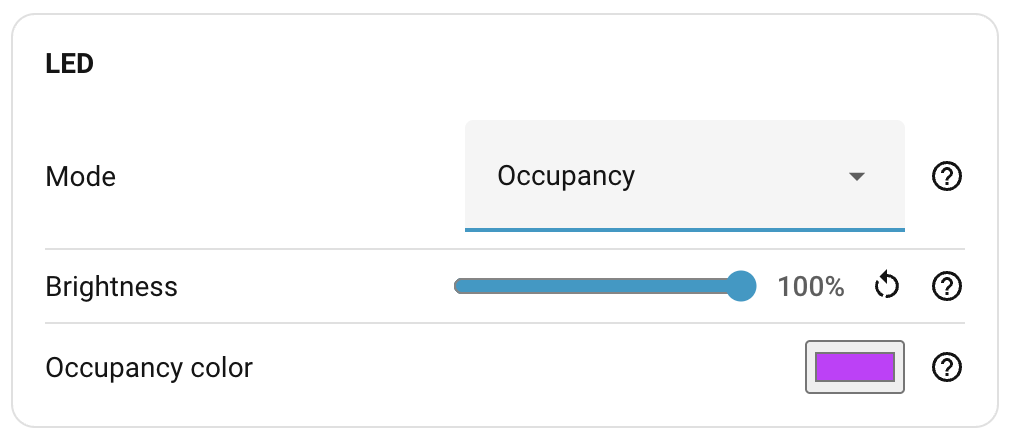
Brightness
When any automatic mode is selected (anything other than Manual control), a Brightness slider appears. It's a multiplier from 10 % to 100 % applied to whatever colour the chosen mode wants to show.
In Manual control the slider is hidden; brightness comes from the light entity itself.
Occupancy colour
When the mode is Occupancy or Environmental + Occupancy, a colour picker appears. Pick whatever you like; the mode applies that colour while the room is occupied.
Environmental mode's colour scale (green/yellow/red for CO₂) is fixed and not user-configurable.
Relay
The device has a solid-state relay you can wire into a circuit. Typical uses are feeding presence into an alarm panel that wants a dry contact, or driving low-voltage equipment directly. See Everything Smart's hardware overview for wiring and load ratings.
The relay can either follow a presence signal automatically, or stay under manual control via its switch entity in Home Assistant.
Trigger mode
| Mode | The relay activates on… |
|---|---|
| Disabled | Nothing. The relay is fully under manual control via the switch entity. Default. |
| Motion only | The PIR motion sensor going active. |
| Presence only | The SEN0609 static-presence sensor going active. |
| Occupancy | The combined Occupancy signal: any of motion, static, or zone activity. |
When trigger mode is anything other than Disabled, manual control via the switch entity is overridden and the relay follows the chosen signal automatically.
Contact mode
Visible only when a trigger mode other than Disabled is selected.
| Mode | Behaviour |
|---|---|
| Normally Open (NO) | Relay closes when the trigger fires. Default. Pick this for the typical "active = closed" convention. |
| Normally Closed (NC) | Relay opens when the trigger fires. Useful for security circuits that expect a closed loop in the idle state and an open one on alarm. |
Where to next
- Logging — per-component log levels.